
Video Library
What is Meta AI
Meta's Muse isn't another chatbot — it's an AI agent that does things for you: emails, travel, shopping, bills. What it actually is, what it costs, the safety question everyone's asking, and the keychain-size device coming in December.
2026-09-25 · 5 min read · Make Money
2.8 million downloads in 12 days — number one on the App Store. And it doesn't just chat. It does things for you. Emails, travel, shopping, bills, handled. It's called Muse. It's Meta's personal AI agent.
In this article: what Muse actually is, what it can do, how to get it running, the real price (free versus the two paid tiers), the honest safety conversation, and the keychain-size device coming in December.
Why everyone's talking about it
The numbers first. Independent estimates put Muse at 2.8 million downloads in its first 12 days — faster than ChatGPT's early pace — with a single-day record of 264,000 downloads and three straight days over 200,000. It hit number one on the US iPhone app chart. Wall Street noticed too: Meta's stock jumped on the news.
But downloads aren't the story. The story is the shift from AI you talk to, to AI that does things for you.
What it is: not a chatbot, an agent
Here's the one idea that makes Muse different from every chatbot you've tried, and the thing most coverage gets wrong: Muse is not a chatbot. A chatbot answers when you prompt it. Muse acts.
You give it a goal in plain English — plan my trip, sort out my inbox — and it plans the steps, opens a browser, fills out forms, coordinates across your apps, and keeps working after you close the app.
It runs on what Meta calls a secure VM — basically your own private computer in the cloud that stays with you between conversations. It remembers your context, learns how you work, and comes back when it needs your approval: before sending an email, before spending money. Under the hood it's powered by Muse Spark, Meta's most capable model for this kind of real-world work.
What it can actually do
Concretely: send emails, with your approval before anything goes out. Book travel. Make restaurant reservations through OpenTable. Build Spotify playlists from a conversation. Fill out forms and make purchases.
Here's the clever part: checkout runs through Stripe's Link, which generates a one-time-use card — so the agent never sees your actual card number.
It connects to Gmail, Google Calendar, Spotify, Ticketmaster, Shopify, and more. You choose which, one at a time, and you can revoke access any time. Close the app, and it pings you when your approval is needed or the job is done.
How to get it running
Getting started is simple. There's a web app at muse.ai, iPhone and Android apps, a Mac desktop app — and it even works inside WhatsApp, your assistant living in the app you already use. It's currently available in the US to users 18 and over. Download it, say hello.
Then the important step: connectors. Under settings, you choose which apps Muse can reach — email, calendar, payments, music, smart home. Grant one at a time, stay in control. Start small: ask it to organize a folder, summarize your unread emails, plan a weekend. Watch how it asks for approval before anything sensitive. That's the trust-building phase — yours and its.
What it costs
The price question, answered straight. There's a free tier, enough for light everyday use. Above it sit two paid plans at $20 and $100 a month, which buy more usage for heavier, longer-running work.
One thing to know going in: Meta asks for a payment card at sign-up to enable task-based billing and purchases. So it's free to try, but not free of strings — your card is on file from day one.
Is it safe?
Now the question you should be asking. An AI with access to your email, your calendar, and your wallet deserves scrutiny, and Muse has drawn it. Privacy advocates and regulators are watching closely.
Meta's answer is architecture. Your agent runs in an isolated secure VM. A separate Sentinel system reviews which sites and actions it can touch, and it must ask your approval before sensitive actions. That's genuinely better than a chatbot with your password.
But be clear-eyed: no architecture removes the fundamental trade — capability for access. Connect only what you need. Review permissions regularly. And never forget you're the one in charge.
The wild card: the Muse Charm
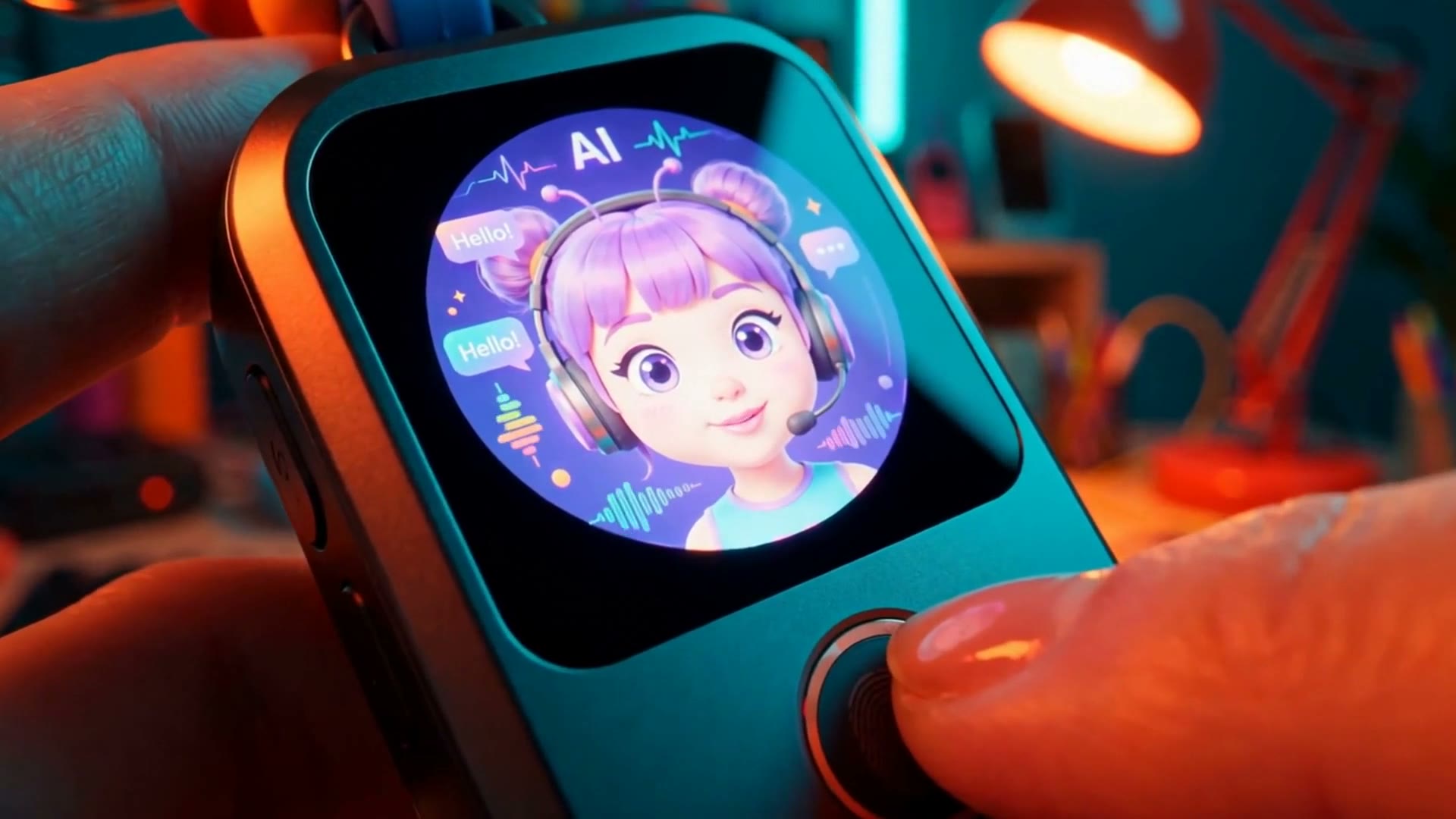
At Meta's Connect event, Zuckerberg announced the Muse Charm — a keychain-sized device about the size of an AirPods case, with a two-inch screen showing your Muse's avatar. Tap the fingerprint sensor and start talking. No phone, no app, no unlock. It's got its own 5G connection, a camera, and microphones. People are calling it a Tamagotchi for adults.
Meta plans to ship it in time for the holidays this December. But note the word: plans. And here's what they haven't told us — no price, no battery life, no full specs. Those are still unconfirmed. Treat every number you see online as rumor until Meta says it.
So that's Muse. Not a chatbot, but an agent — one that works while you're away, asks before it spends, and might soon live on your keychain. Try the free tier, connect one app, and see what your time is worth.